Asset and media identification
Where included in the reporting scope, equipment and available storage-media identifiers can be tied to the relevant asset record before processing begins.

Secure data erasure
A documented route for supported data-bearing media, with the erasure method, processing result and any exceptions recorded at the reporting level agreed for the job.
Data security after collection
Redundant laptops, desktops, servers and storage devices may still contain business, customer or personal information after normal deletion, formatting or operating-system reset.
Secure IT Lifecycle agrees the processing route before work begins, records the outcome, and keeps failed or unsupported media visible as exceptions rather than treating them as successfully processed.
Secure processing
Our workflow is designed to keep media identification, erasure status, exceptions and evidence connected to the equipment being processed. AssetFlow supports that operational record behind the service.
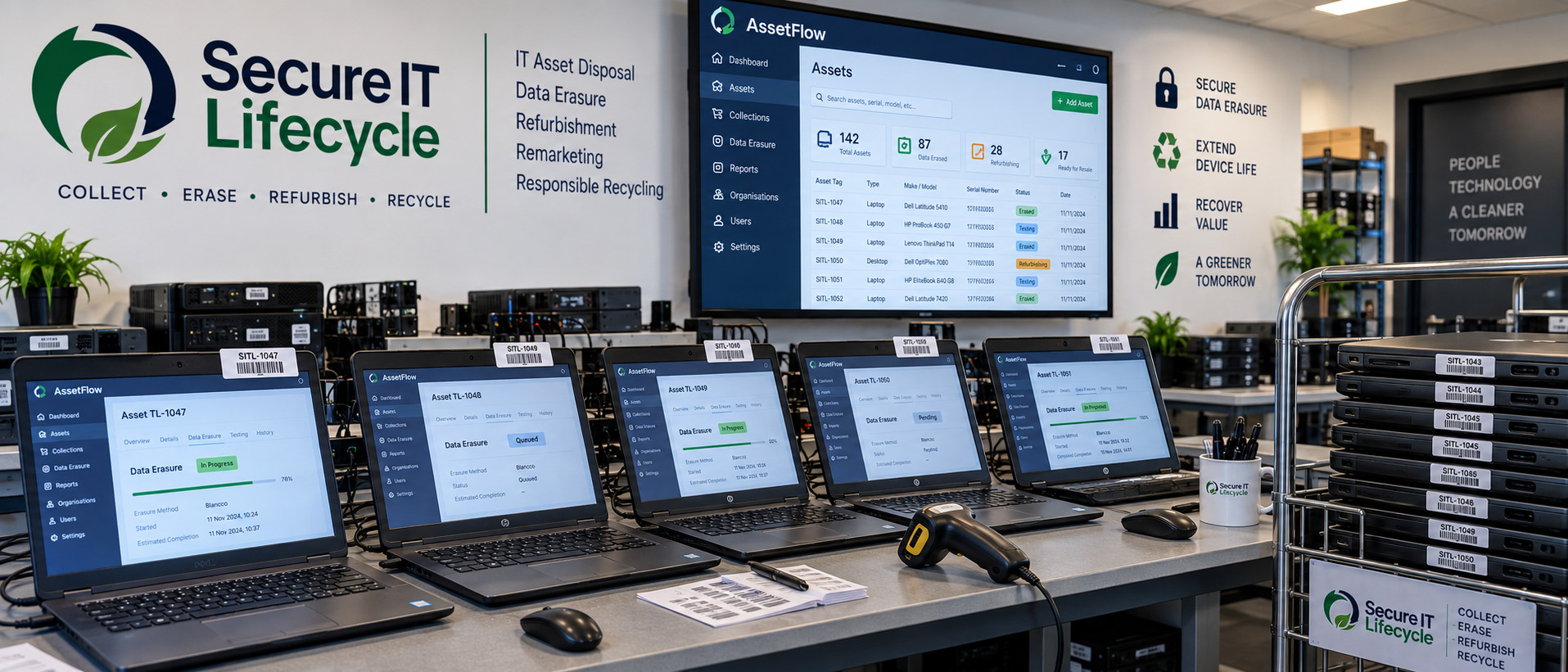
What the service can include
The exact evidence supplied depends on the equipment, media and reporting scope agreed before processing.
Where included in the reporting scope, equipment and available storage-media identifiers can be tied to the relevant asset record before processing begins.
Supported functioning media can follow a software-based erasure route selected for the job, taking account of the storage type, condition, intended reuse and customer requirements.
The processing outcome is recorded as part of the job history so successfully processed media can be distinguished from failed, unsupported or otherwise unresolved items.
Media that cannot complete the agreed erasure route remains an exception and can be assessed for an alternative route rather than being silently marked as complete.
Where selected, the customer can receive erasure documentation referencing the relevant asset or media and the recorded processing result.
Failed, damaged, unsupported or policy-restricted media can be assessed for an agreed physical-destruction route when software-based erasure is unsuitable.
Physical media destruction →Media considered
The first step is establishing what storage is present and whether it is suitable for the agreed software-based erasure process.
Where storage is functioning and supported, software-based erasure can allow an otherwise serviceable device to continue through testing, refurbishment, reuse or remarketing.
This is useful where the objective is to remove the data risk without automatically destroying reusable equipment.
An erasure attempt that cannot be completed is not treated as a successful result. The item remains unresolved until an appropriate alternative route is agreed.
Where required, that may mean physical media destruction rather than further software processing.
Documented process
Data erasure can operate as a standalone processing requirement or as one stage within a wider IT asset disposal project.
Agree the equipment, data-security requirements and reporting level.
Identify the relevant asset and available media details.
Apply the agreed software-based route to supported functioning media.
Record the processing result and identify any exception.
Route failed or unsuitable media according to the agreed alternative.
Provide the agreed asset-level erasure or exception documentation.
Data erasure questions
The media type, condition, reuse objective and evidence requirement all affect the final processing route.
Supported functioning storage media may include HDDs, SSDs and suitable storage within laptops, desktops, servers and other business IT equipment. Compatibility and condition are assessed before the route is confirmed.
Failed, damaged, unsupported or policy-restricted media is recorded as an exception. Where software-based erasure is unsuitable, it can be assessed for an agreed physical-destruction route.
Where included in the agreed reporting scope, a certificate or erasure record can identify the relevant asset or media, processing result and supporting references available for that job.
Yes. Collection, asset recording, data erasure, reuse or recycling and reporting can be scoped together as part of an IT asset disposal project.
Tell us what equipment you have, where it is located and what erasure evidence your organisation requires. We’ll assess the available processing route before anything is booked.